

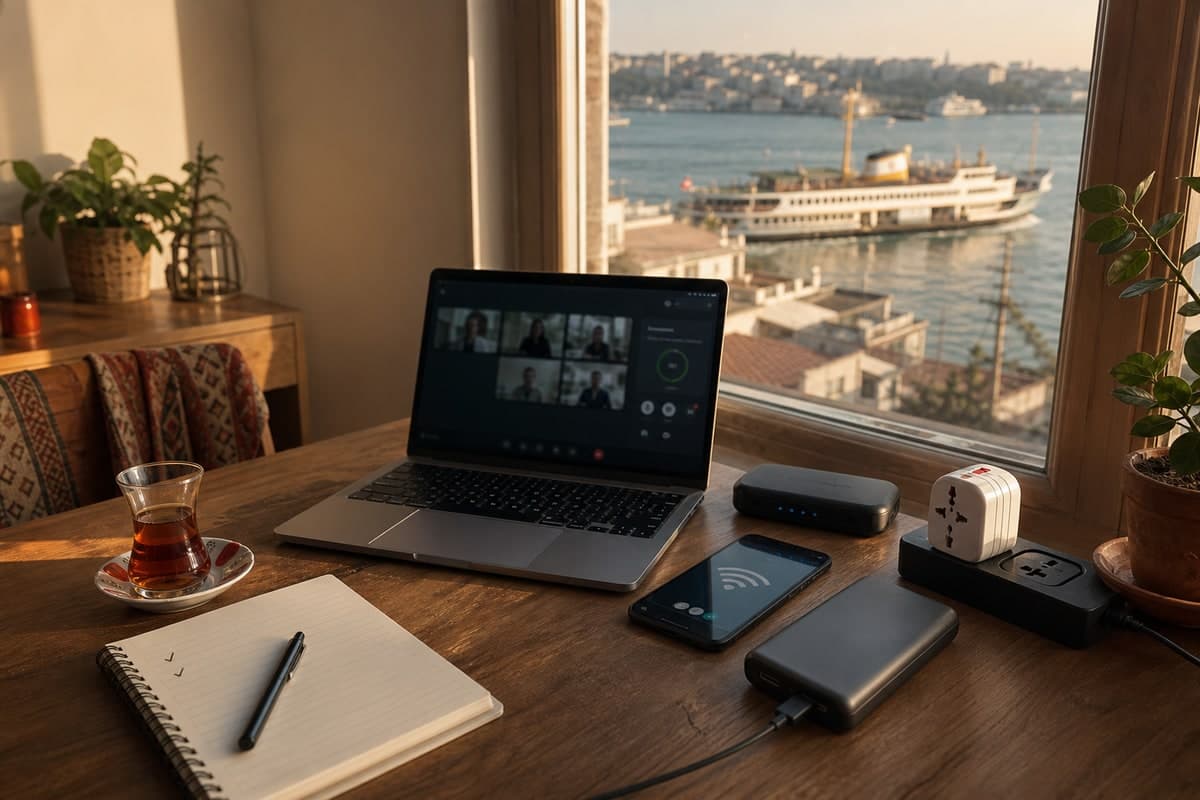
If you are planning to work remotely from Istanbul, here is the honest version: the city can be excellent for remote work, but it rarely becomes excellent by accident.
People spend a lot of time comparing neighborhoods, housing, cost of living, ferries, visa steps, and cafe culture. All fair. But the thing that can ruin a workweek fastest is simpler than all of that: bad internet, no mobile backup, or a laptop dying halfway through a client call.
The good news is that Istanbul is very workable once your setup is thought through. The annoying part is that connectivity changes from one building to the next, even on the same street. Treat your first week like a systems check, not just a vibe check.
The Short Answer
Set up three layers before you trust your calendar:
- Home internet for normal workdays.
- A Turkish SIM or reliable eSIM for hotspot backup.
- A power plan for cafes, short outages, and long call blocks.
That stack is enough for most nomads. The goal is not a perfect technical setup. The goal is to keep your day calm when something small goes wrong.
At-a-Glance Setup Map
Use this table if you are arriving soon and need the shortest useful plan.
| Need | Best first move | Backup | Check before relying on it |
|---|---|---|---|
| Apartment workdays | Confirm fiber or stable fixed internet before booking | Turkish SIM hotspot | Speed test from the actual work room |
| Video calls | Sit near the router or use coworking | Phone hotspot from another provider | Upload speed and call quality at meeting time |
| First 48 hours | eSIM or city-bought prepaid SIM | Airport Wi-Fi only for basics | Hotspot allowance and data cap |
| Heavy uploads | Coworking or Ethernet | Mobile data with enough allowance | Upload speed, not just download speed |
| Cafe work | Laptop-friendly cafes with outlets | Power bank and mobile hotspot | Wi-Fi cap, noise, and outlet availability |
| Short power cuts | Charged laptop and phone | UPS for router if calls matter | Battery health and adapter compatibility |
Who This Guide Is For
This guide is for digital nomads, remote employees, founders, freelancers, and long-stay visitors who need to work from Istanbul without guessing. It is especially useful if you are staying in Kadikoy, Moda, Cihangir, Besiktas, Karakoy, Galata, Sisli, Levent, Uskudar, or Atasehir and need a reliable first-week setup.
If you are only checking email for a few days, you can keep things lighter. If your work involves daily calls, client delivery, production deployments, large file uploads, teaching, interviews, or live workshops, build redundancy from day one.
Internet in Istanbul Is Good, But Building-Specific
The headline is easy: internet in Istanbul is usually good enough for normal remote work. The details matter more.
Two apartments in the same neighborhood can feel completely different. One has stable fiber and no trouble with calls. The other has old wiring, a router hidden in an entryway cabinet, and thick walls that eat Wi-Fi before it reaches the bedroom desk.
That is why broad statements like "Kadikoy has good internet" or "Beyoglu is bad for calls" are not useful enough. Buildings matter. Floor plans matter. Router placement matters more than people expect.
A few things commonly cause slowdowns:
- Peak-hour congestion, especially in the evening
- Older building wiring
- Routers placed near doors or inside cabinets
- Thick interior walls
- Too many devices on crowded Wi-Fi channels
- A plan that looks fast on paper but behaves differently in practice
If you are apartment hunting, treat internet like plumbing. Check it before you commit.
Istanbul Internet Providers and Connection Types
The exact provider matters less than the building infrastructure, but it helps to know the names you will hear from landlords and shop staff.
| Provider or type | What it usually means | Best for | Watch out for |
|---|---|---|---|
| Turk Telekom | Common fixed internet and fiber provider | Broad availability | Older buildings may still be on slower infrastructure |
| Turkcell Superonline | Fiber home internet in many areas | Stable apartment workdays | Availability is building-specific |
| Vodafone Home | Fixed home internet plans | Basic apartment internet | Check actual speeds in the unit |
| Building Wi-Fi | Internet included with a furnished rental | Short stays and simple work | Shared passwords, weak routers, vague landlord claims |
| Mobile hotspot | Phone data shared to your laptop | Backup and first-week work | Data caps, throttling, phone battery drain |
| Coworking Wi-Fi | Managed workspace connection | Calls, uploads, reliable work blocks | Day-pass cost and commute time |
For most remote workers, the best setup is home internet plus mobile backup, with one nearby coworking space saved for high-stakes days.
Best Neighborhoods for a Reliable Work Routine
No Istanbul neighborhood can guarantee good internet in every building. Still, some areas make remote work easier because they combine housing, cafes, coworking, transport, and community density.
| Neighborhood | Why remote workers like it | Setup note |
|---|---|---|
| Kadikoy and Moda | Strong cafe culture, ferry access, large nomad community | Great for hybrid cafe-home weeks, but still test apartment Wi-Fi |
| Cihangir and Beyoglu | Central, walkable, lots of cafes and social energy | Older buildings can mean thicker walls and uneven routers |
| Besiktas | Ferry access, student energy, many work-friendly cafes nearby | Check noise and outlet placement if working from home |
| Sisli and Levent | Business districts with coworking and better office infrastructure | Better for calls-heavy workers than cafe-hoppers |
| Uskudar | Calmer Asian-side base with ferry access | Good for home-based work if the apartment connection is proven |
| Atasehir | Modern apartments and business infrastructure | Useful for longer stays, less ideal if you want classic Istanbul cafe life |
If you are still choosing a base, read the neighborhoods guide before booking a month-long stay.
What to Ask Before You Book an Apartment
Most apartments in Istanbul will have access to some mix of fiber, DSL, or cable, depending on the building and area. Do not assume availability because the neighborhood is central or popular with remote workers.
Ask these questions early:
- What provider is already connected in the building?
- Is fiber actually available in this unit, or just nearby?
- How long did the last installation take?
- Can the current tenant or landlord share a recent speed test?
- Where is the router placed?
- Is there a desk-friendly outlet setup in the room where you will work?
Installation timelines can be quick, or not. Paperwork can be straightforward, or mildly ridiculous. That is normal in Turkey. If you have calls in your first few days, plan for overlap and use mobile data while the apartment setup proves itself.
For current provider basics, prices, and SIM guidance, start with our Internet and SIM Cards guide.
Minimum Speeds for Remote Work
Do not obsess over huge speed-test numbers. Stability matters more than headline speed.
| Work type | Comfortable baseline | What matters most |
|---|---|---|
| Email, docs, research | 10 Mbps down, 2 Mbps up | Stability and low dropouts |
| One-person video calls | 25 Mbps down, 5 Mbps up | Upload speed and latency |
| Group calls and screen sharing | 50 Mbps down, 10 Mbps up | Upload speed, router quality, quiet room |
| Large file uploads | 50 Mbps down, 20 Mbps up | Upload speed and no throttling |
| Streaming, teaching, webinars | 50-100 Mbps down, 15 Mbps up | Backup connection and power plan |
If a landlord sends a speed test, ask where it was taken. A test beside the router does not prove the bedroom desk will work.
Apartment Viewing Red Flags
When you visit a place, do not just admire the light and kitchen. Walk around with your phone.
Look for:
- Weak signal in the room where you would take calls
- A router placed far from the likely desk area
- Very thick walls between rooms
- Only one practical outlet near your workspace
- No visible Ethernet option if you need one
- Landlord answers like "internet is very fast" with no proof
If possible, run a speed test from the actual work spot, not from the hallway beside the router. For video calls, upload stability matters as much as download speed.
Router Basics That Matter More Than Advertised Speed
A fancy internet package will not save a bad home setup.
For most people, a decent dual-band router is enough. If the apartment is larger or chopped up by thick walls, a mesh setup helps a lot. It is not glamorous, but it solves real Istanbul apartment problems.
Use this as your baseline:
- Use 5 GHz when you are near the router and need speed.
- Use 2.4 GHz when you need better range through walls.
- Put the router high up and in the open.
- If speeds feel strangely inconsistent, try changing the Wi-Fi channel.
- For important calls, test Ethernet if the rental allows it.
I have seen people blame the provider when the real issue was a router sitting on the floor behind a TV.
SIM or eSIM: What Works Best
For your backup connection, local mobile data is the obvious move. The question is whether you want a physical SIM, an eSIM, or both.
A local SIM is still the easiest option for many newcomers. You usually buy it from a carrier shop, bring your passport, and choose a prepaid or short-term plan. Pricing, activation steps, and limits vary by provider and store, so use company-owned shops when you can.
An eSIM is smoother if your phone supports it and you want to be online right after landing. No store visit, no plastic swap, no waiting around. The downside is that some eSIM options are better for basic data than for heavy workdays. Hotspot support, fair-use policies, and throttling can be different from what you expect.
Compare the annoying details before you rely on a plan:
- Is hotspot use allowed?
- Does speed drop after a threshold?
- Are there fair-use limits hidden in the plan terms?
- Is the line easy to top up?
- Does coverage feel strong in your apartment and regular work spots?
For real redundancy, some remote workers keep two lines on different providers. That sounds excessive until one network struggles and you still have a deadline.
Turkcell, Vodafone, Turk Telekom, and eSIM: How to Choose
All three major Turkish mobile operators work in Istanbul, but your best choice depends on your priorities.
| Option | Best for | Pros | Tradeoff |
|---|---|---|---|
| Turkcell physical SIM | Most newcomers who want reliability | Strong coverage, easier English support, widely recommended by nomads | Often not the cheapest |
| Vodafone Turkey SIM | Visitors comparing tourist plans | Easy to find in central areas | Airport and tourist pricing can be high |
| Turk Telekom SIM | Budget-focused users | Often competitive pricing | English support can be less smooth |
| Travel eSIM | First 24-72 hours after landing | Online instantly, no store visit | May be data-only, may restrict hotspot or throttle heavy use |
| Turkish carrier eSIM | Longer stay with eSIM support | Local network with eSIM convenience | Usually still needs store activation and passport process |
For a simple arrival plan, use a travel eSIM to land connected, then buy a Turkish SIM in the city once you have time. If work reliability matters, do not wait until the first outage to set up hotspot.
Backup Workflows for Expensive Failure Days
If you have a client call, interview, workshop, or big upload, do not rely on one connection. Build the fallback before you need it.
The easiest setup is phone-to-laptop hotspot. Test it once before a critical day so you know battery drain, signal strength, and whether your laptop behaves well on the connection.
A travel router can also help if you move between apartments, cafes, and coworking spaces. It gives you a more stable bridge between devices and makes switching connections less chaotic.
A basic backup stack looks like this:
- Home internet as your main connection
- A mobile line from a different provider
- Offline copies of anything important
- Async tools ready in case live calls fail
That last part matters. Download files before meetings. Keep local copies of docs. Sync key project folders. Use tools that let you keep moving if the connection gets weird for an hour.
Best Setup by Work Style
Different remote workers need different levels of redundancy. Pick the row closest to your real week.
| Work style | Recommended setup | Why |
|---|---|---|
| Writer, researcher, solo founder | Apartment Wi-Fi, phone hotspot, cafe fallback | Mostly async work can survive short interruptions |
| Developer or designer | Apartment Wi-Fi, mobile backup, coworking for deploy days | Deep work is flexible, but uploads and calls need a fallback |
| Sales, coaching, teaching, consulting | Coworking or proven home internet, second mobile provider, power bank | Live calls make outages expensive |
| Video editor or content creator | Fiber apartment, coworking upload fallback, external storage | Upload speed and file syncing matter more than cafe ambiance |
| Team lead or executive | Reliable home setup, coworking membership, router UPS | Calendar density leaves less room for improvisation |
The mistake is copying someone else's setup without looking at your calendar. A writer and a sales consultant can live in the same neighborhood and need completely different infrastructure.
Power Is Usually Fine, But Plan Anyway
Short outages happen. Small power hiccups happen. Neither is worth panicking about, but both are worth preparing for.
A few items make a real difference:
- A battery bank that can genuinely recharge your phone
- A UPS for your router if your work depends on staying online through short cuts
- A surge protector for your laptop and other gear
- The right Type F plug adapters, especially if you arrived with a mixed-device setup
If you work long cafe sessions, power planning matters even more than at home. Some places have plenty of outlets. Some have three visible sockets and they are all already taken. Bring your charger, a compact extension or multi-port adapter if you use one, and enough battery to survive a table move.
It sounds minor until you are at 11 percent during a two-hour work block.
Video Calls and Heavy Uploads: Make Them Boring
For Zoom or Meet, you do not need perfect internet. You need predictable internet.
A few habits help:
- Sit close to the router for important calls.
- Ask housemates to avoid heavy downloads during your meeting.
- Close cloud sync and large background uploads.
- Use Ethernet if available.
- Keep your phone hotspot ready before the call starts.
If uploads are slow, test more than once. One speed test can lie to you. Try different times of day. If download is fine but upload is weak, that points to a different problem than general congestion.
When diagnosing, keep it simple:
- Test on Wi-Fi.
- Test near the router.
- Test on Ethernet if possible.
- Test on mobile data.
- Compare times of day.
That usually tells you whether the issue is your device, your Wi-Fi setup, your provider, or the building itself.
Cafes, Coworking, and Public Wi-Fi
Istanbul has plenty of places where remote work is possible: coworking desks, laptop-friendly cafes, hotel lobbies, and friend-of-a-friend apartments while you settle in.
For calls-heavy days, use coworking. For writing, coding, or planning days, cafes can be excellent. Our coworking vs cafe guide breaks down when each one wins, and the spaces directory gives you verified places to work from.
Public Wi-Fi is useful. It is not trustworthy by default.
Safer habits are simple:
- Prefer your own hotspot for sensitive work.
- Use a VPN if you rely on public Wi-Fi.
- Keep devices locked when you step away.
- Turn off auto-join for random networks.
- Avoid logging into sensitive accounts on sketchy connections.
VPNs help, but they can also create connection issues with some services or slow things down. Test your setup before you actually need it for work.
Good Backup Places to Know
Save these before you need them:
- A coworking space within 20 minutes of your apartment.
- A laptop-friendly cafe with reliable outlets.
- A chain fallback like EspressoLab for predictable seating.
- A quiet hotel lobby or library-style space for emergency calls.
- A second neighborhood option reachable by ferry or metro.
Start with our best laptop-friendly cafes in Istanbul, EspressoLab remote work guide, and top coworking spots. For map-first browsing, use the spaces directory.
First-Week Ready-to-Work Checklist
Keep your first week simple. You do not need to optimize everything. You just need to remove the obvious failure points.
Home internet
- Confirm what type of connection the apartment really has.
- Run speed tests in the room where you will work.
- Check router placement.
- Ask about installation timing before move-in.
- Test Wi-Fi at peak evening hours.
Mobile backup
- Get a local SIM or working eSIM.
- Confirm hotspot works with your laptop.
- Know your data cap.
- Keep a second provider in mind if your work is sensitive to outages.
- Save top-up and account info somewhere easy to find.
Tools to carry
- A speed test app
- Video call test links
- A real battery bank
- Charging cables you trust
- Offline copies of key documents and meeting notes
A Better Question Than "Is the Internet Good?"
The useful question is this: "Can I work reliably from this apartment, this cafe, and this neighborhood with a backup plan?"
That is the real standard.
For most digital nomad and expat setups in Istanbul, the answer is yes. But yes comes from a little planning. The best remote work setup is rarely the cheapest one or the most complicated one. It is the one that keeps your day calm when something small goes wrong.
FAQ
Is Istanbul good for remote work?
Yes. Istanbul is good for remote work if you choose the right neighborhood, test apartment internet before committing, and keep a mobile hotspot backup. The city has strong cafe culture, growing coworking options, and a large international community, but building-level internet quality varies.
Is the internet in Istanbul reliable?
Istanbul internet is generally reliable enough for remote work, but reliability depends heavily on the building, router, wiring, and provider. A central neighborhood does not guarantee a stable apartment connection.
What internet speed do I need for video calls in Istanbul?
For normal video calls, aim for at least 25 Mbps download and 5 Mbps upload, with stable latency. For group calls, teaching, screen sharing, or webinars, 50 Mbps download and 10-15 Mbps upload is a safer baseline.
Should I use a SIM card or eSIM in Turkey?
Use an eSIM if you need data immediately after landing. Use a Turkish physical SIM or Turkish carrier eSIM for longer stays, better local data value, and more predictable hotspot backup. Many remote workers use both.
Which Turkish mobile operator is best for digital nomads?
Turkcell is the easiest default recommendation for many newcomers because of coverage and smoother support. Vodafone and Turk Telekom can also work well in Istanbul, especially if pricing or store location is better for your situation.
Can I work from cafes in Istanbul?
Yes, but cafes are best for writing, planning, research, and lighter calls. For important video calls, use a tested apartment setup, coworking space, or phone hotspot. Always check outlets, noise, Wi-Fi caps, and seating before settling in.
Do I need a power adapter in Turkey?
Most travelers need a Type F compatible adapter for Turkey. If you work long cafe days, also carry a power bank and trusted charging cable. For a call-heavy home setup, a small UPS for the router can be useful.
What should I test before booking an apartment for remote work?
Ask for a recent speed test from the room where you will work, confirm the provider and connection type, check router placement, test mobile signal indoors, and ask how quickly internet issues are fixed.
Next Step
Read the Internet and SIM Cards guide, then bookmark two backup work spots from the spaces directory near your apartment. If you are still choosing where to stay, pair this with our neighborhoods guide before you book.
Already working remotely in Istanbul? Tell us in the Telegram group which neighborhood surprised you for internet reliability, good or bad. Real setups beat generic advice every time.